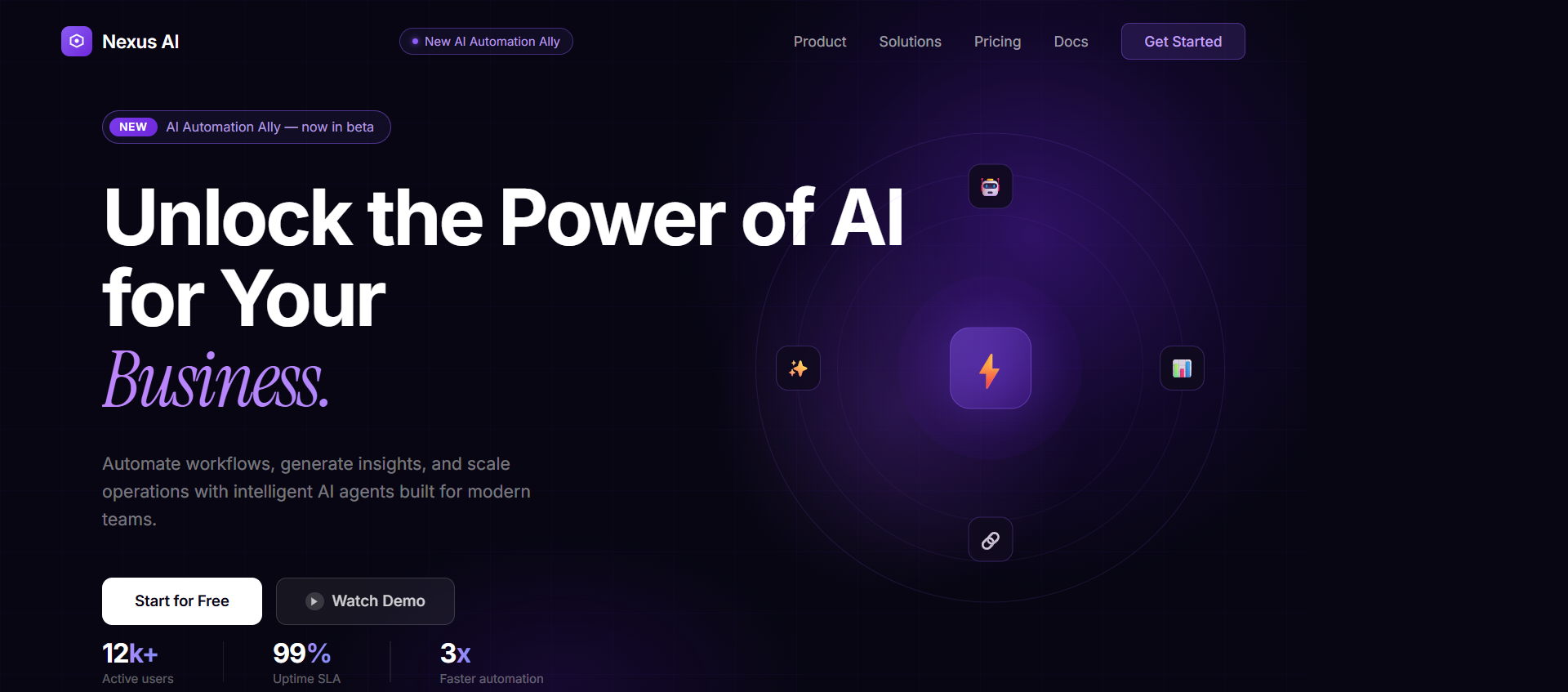
AI SaaS Hero , Dark with HLS Video, Split Text & Blur-In Animations
Full-screen dark SaaS hero with HLS streaming video, staggered split-text headline animation, blur-in effects, and left-aligned layout. React + Tailwind.
When to use
Use for AI-focused SaaS products, automation tools, or any dark-themed landing page that needs a premium, animated first impression.
Recommended LLMs
Plugins / Skills
When to use
This prompt produces a complete, production-ready hero section — navbar to CTA — for AI and automation SaaS products. It's left-aligned (not centered), which gives it a more editorial, high-end feel compared to generic centred heroes.
The HLS video sits behind the content with right-side positioning so the left text stays legible without overlays.
What you'll need to customise
- Video URL — replace the Mux HLS stream URL with your own video
- Headline text — the 3-line heading structure ("Unlock the Power of AI / for Your / Business.")
- Brand colours — currently uses
#070612background and white text - CTA links —
/book-callfor primary, secondary button URL
Tips for best results
- Run in a single shot — this prompt is self-contained. Don't split it.
- If Claude truncates, say "continue from where you left off" — don't re-run the whole prompt
- Ask for a
components/folder structure if you want it modular - The split-text animation (
SplitText) needs to be built as a helper component — Claude will generate it inline
Expected output
A complete React component (or set of components) including:
- Navbar with badge + CTA buttons
- Full-screen HLS video background (right-shifted, no overlay)
- Left-aligned hero content: badge → 3-line heading → subtitle → 2 CTA buttons
- BlurIn and SplitText animation components
- All Tailwind classes inline, no separate CSS file needed
The Prompt
Copy it, paste it, use it.
Create a full-screen hero section with the following exact specifications.

### Tech Stack
- React + TypeScript
- Tailwind CSS
- framer-motion (or `motion/react`)
- lucide-react
- hls.js (for HLS video streaming)

### Layout & Structure
- Full viewport height (`h-screen`), full width, `relative`, `overflow-hidden`
- Background: `#070612` (dark purple-black)
- Content left-aligned, vertically centered
- Max-width container (`max-w-7xl`) with `px-6 lg:px-12`

### Background Video
- Source: HLS stream — `https://stream.mux.com/s8pMcOvMQXc4GD6AX4e1o01xFogFxipmuKltNfSYza0200.m3u8`
- Autoplay, loop, muted, absolute behind all content (z-0)
- Shifted 200px to the right (`marginLeft: '200px'`)
- Scaled to 1.2x with `transformOrigin: 'left'`, `objectFit: 'cover'`, full height
- Bottom fade gradient (`h-40`) from `#070612` to transparent (z-10)
- Use hls.js with Safari fallback (`video.canPlayType('application/vnd.apple.mpegurl')`)

### Badge
- Pill shape: `rounded-full border border-white/20 backdrop-blur-sm`
- Sparkles icon (lucide-react, `w-3 h-3 text-white/80`) + text "New AI Automation Ally"
- `text-sm font-medium text-white/80`
- Animate with BlurIn: `opacity 0→1, blur 10px→0, y 20→0, duration 0.6s`

### Main Heading (3 lines)
- Line 1: "Unlock the Power of AI" (`block`)
- Line 2: "for Your" (`inline`)
- Line 3: "Business." in serif italic (`inline`, use Instrument Serif or Georgia italic)
- Size: `text-4xl md:text-5xl lg:text-6xl`, `font-medium`, `leading-tight lg:leading-[1.2]`, white
- Animation: SplitText — split by words, stagger each word: `delay 0.08s between words, duration 0.6s, y: 40→0, opacity: 0→1`

### Subtitle
- "Our cutting-edge AI platform automates, analyzes, and accelerates your workflows so you can focus on what really matters."
- `text-white/80 text-lg font-normal leading-relaxed max-w-xl`
- BlurIn animation: `delay 0.4s, duration 0.6s`

### CTA Buttons
Two buttons side by side (`flex gap-4 flex-wrap`):

**Primary — "Book A Free Call":**
- Solid white background (`bg-white`), dark text (`text-[#070612]`)
- `rounded-full px-5 py-3`
- ArrowRight icon (lucide-react) on the right

**Secondary — "Learn now":**
- `bg-white/20 backdrop-blur-sm rounded-full px-8 py-3` white text

Both: BlurIn animation `delay 0.6s, duration 0.6s`

### Animation Components to Build

**BlurIn:** `motion.div` — `initial={{ opacity: 0, filter: 'blur(10px)', y: 20 }}` → `animate={{ opacity: 1, filter: 'blur(0px)', y: 0 }}`

**SplitText:** splits text string by words, wraps each in a `motion.span`, staggers with `transition={{ delay: index * 0.08 }}`

### Z-index Layering
- Video: `z-0`
- Bottom gradient: `z-10`
- All content: `z-20`

### Spacing
- `gap-12` between badge/heading group and CTA buttons
- `gap-6` between badge and heading, heading and subtitle